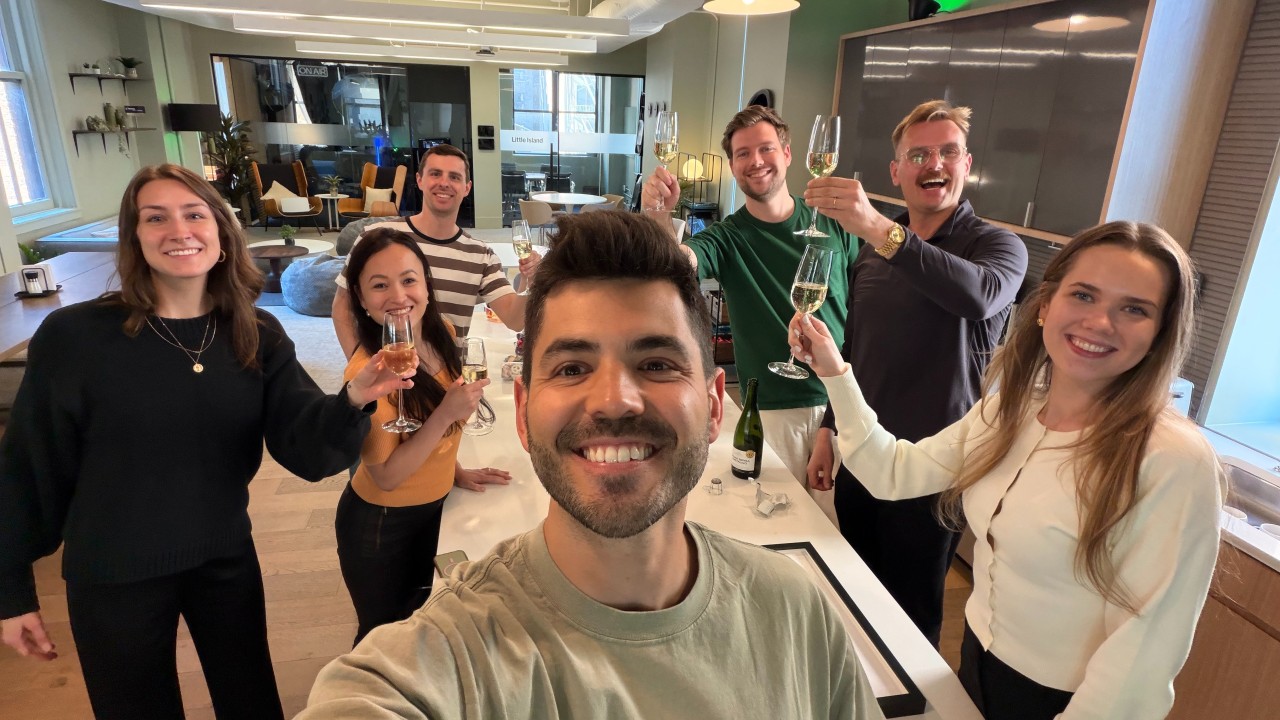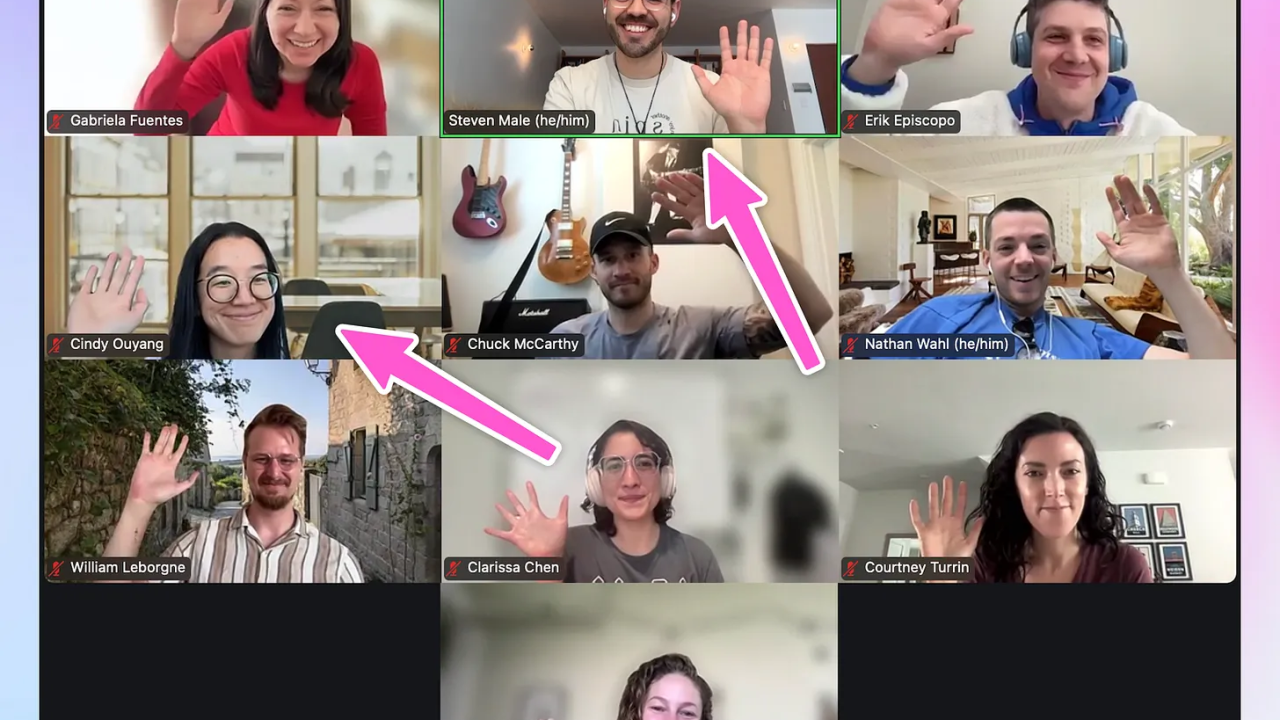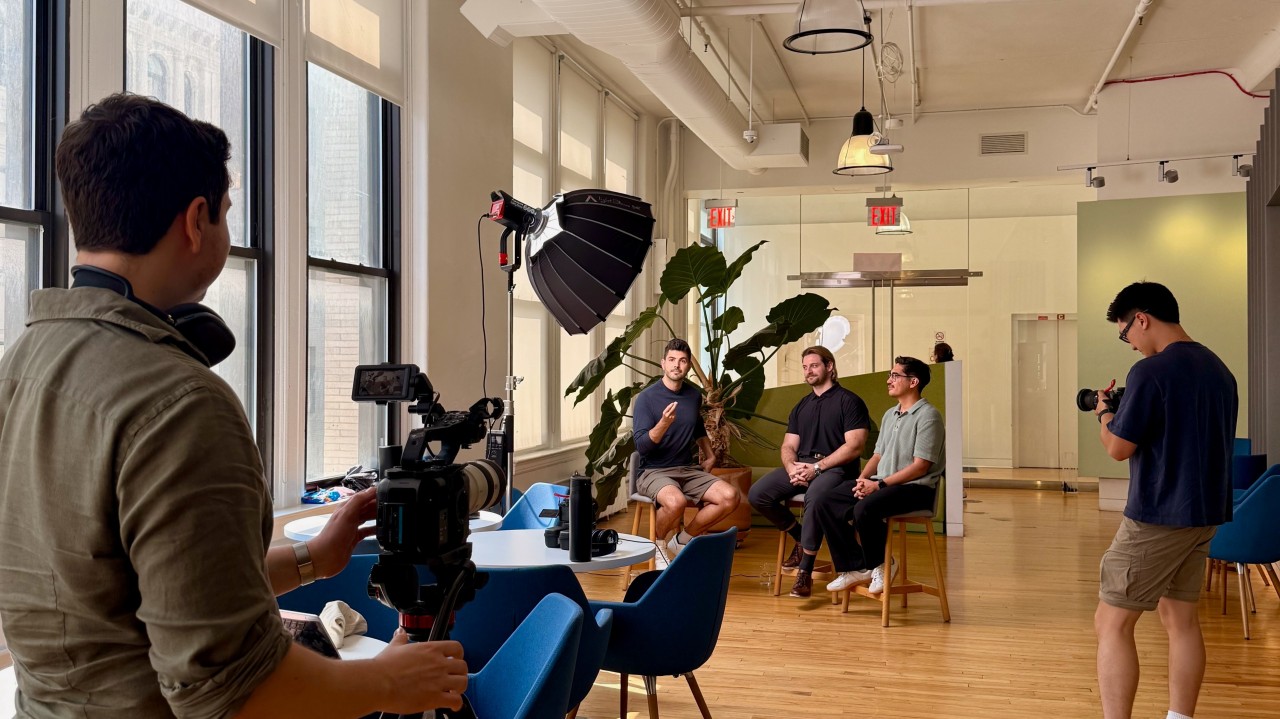
A couple of weeks before my first day at Clay, I started building a tool called the Ecosystem Engine.
Partly to hit the ground running. Mostly because of imposter syndrome and anxiety.
Sixteen weeks later, every training program Clay does is now run on it.
It stores & enriches the 50,000+ people the ecosystem team impacts, shares context with the wider team.
It saves us 75+ hours of work each week through automations, and has 3x’d the impact from our programs while creating an even better experience for our customers.
It started as a place for people to take our live training programs (cohorts). Now it also connects what they do across all our programs with everyone on the team contributing.
We’ve just crossed 1,500 pull requests merged into the thing.
The first thousand were me and my best buddy Claude (featured below).

Then four teammates, Covington Doan , Izzy Kim , Natalie Ho , and Sayli Godse , started building too.
(None of us are engineers.)
Then the BEST moment happened last week when I took some time off and the team continued to ship 120 improvements while I was out!!!
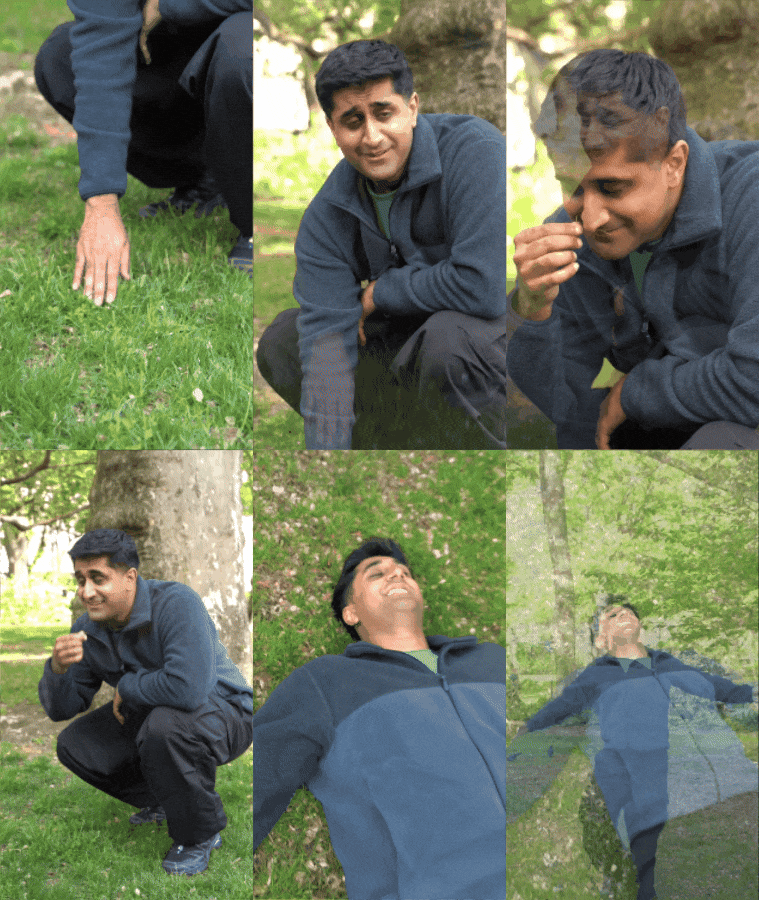
So I wanted to write down how we got here.
And I want to share the (maybe more important) journey of how do you get buy-in in the first place?
And how do you make it easy for the team to build too so you’re not stuck under a pile of requests?
I’ll cover:
- What we built
- The impact of what we created
- A map of the team and tools, including where Clay Workflows connects the data.
- The story of going from “this button is broken” to teammates shipping big features themselves.
- The jobs that run overnight, the agents we ask for help, and the checks every change has to pass.
- A setup you can copy, plus a tour and the full stack at the end.
So sit back, relax, grab a warm cozy beverage, and let’s dive in!
A little tour of the platform (for those who are curious) 🗺️
Watch on Loom: Tour of the Cohort Learning Platform
A new type of building (the servant builder) 🛠️
When talking through this post, Nicole Guercia mentioned the term "servant builder."
Here’s my face when I heard that.

I was like “THAT’S SUCH A GOOD TERM!!!”
We’ve all heard of servant leadership.
The leader's job is helping the team do better at their jobs, giving the credit away freely, celebrating the team, and creating more impact because of that.
Borrinnggg. We’re in the age of AI now.
(Joking, please do this. Don’t be a bad leader.)
Servant building is the same idea with a keyboard.
Right now a lot of people are building things with AI.
I’ve definitely contributed to the Vercel link graveyard.
A project gets most of the way there, then sits untouched, and dies.

BUT a project that gains traction can also turn into its own unfortunate future of people sending you constant requests, issues, or bug reports.
Nicole is a builder too, and we’ve both done projects where it can quickly feel bad for this exact reason.
It’s happened to me twice.
(woops).
Here's what I've noticed happens.
You build something useful.
You get put in the building role.
And slowly the thing that started as co-creation ("what if we…") turns into a ticket queue ("this is broken, please fix").
The joy drains out of it.
You start to resent the thing you made, especially when building was never your actual job.

That’s why she came up with the term.
Because this project is different.
The idea of turning from a builder to a servant builder is essentially answering this question.
How can I build something the team wants to use, and give them enough ownership to improve it without me needing to be involved?
So you’re not stuck being the only driver of the car.
And I can keep working on what comes next, instead of handling every request myself.

(I’ll talk about how this transition happened too and all the tests & systems I put in place to kindle the fire of teamwork.)
SHOW ME THE MONEY (i.e. the impact) 📈
Our ecosystem work spans cohorts (our live training programs), Clay University, certifications, workshops, partnerships, startups, Clay Clubs, and the community.
The people you’ll meet in this story are the first squad of power users:
- Natalie, who gave the platform its first proper go with a cohort she runs called AlphaForge
- Izzy, who leads the cohort team and helped drive adoption
- Sayli, who became a prolific builder
- And Covington, whose coaching work keeps surfacing things we can make better.
50,000 people move between those programs, but their information used to stay in whichever tool collected it.
Now every live training cohort program at Clay runs out of this one repo.
Applications, enrollment, lessons, community, coaching, Zoom, emails, grading, graduation, and the dashboards that tell us what worked.
The cohort team used it first, but I wanted to bring the whole ecosystem team together.
That’s why the 56,564-person ecosystem database matters.
(It blows my mind to think of that number. Like in New Zealand that’s all of Nelson. A city big enough to have a mayor. Wait, should this app get a mayor?! 😲)
Before this, we had lessons in Uplimit, applications in Typeform, grading in Clay tables, dates in Asana, and conversations in Slack.
And somewhere across all of that was a person trying to learn something 😂
Note on education tools:
For as long as I’ve been teaching, the structure and technology got in the way of the learning experience. The people doing the teaching had to track grades (usually through exams, or tests that were standardized). They had to track attendance (sometimes manually). And a lot more. This is because as a teacher you needed to see how the curriculum was doing, who needed support, and what can be improved going forward.
Good for the teacher. Annoying for the learner.
Now technology can make this not only seamless, but we can finally tailor the learning to the individual. Rather than getting a certification by taking a standardized exam that has nothing to do with your work. Now we can launch certifications that are tailored towards your job. Towards future jobs. Using you, and what you’ve done as context. Certifications that build case studies, improve your understanding, and are directly related to the work you’re doing right now.
We can track attendance seamlessly, measure drop-off, and use any work you've done in the past as context to help tailor your lessons in the future! What a time to be alive!
The team was doing the work of connecting it all.
Now the learning experience lives together, and we can follow what happens when someone moves from a workshop to the community to a course.
We can see what they built. Which customer account they belong to. And give the next person helping them that context too.
Which means we can spend more time helping people, and less time trying to figure out what happened.
The Results 🎉
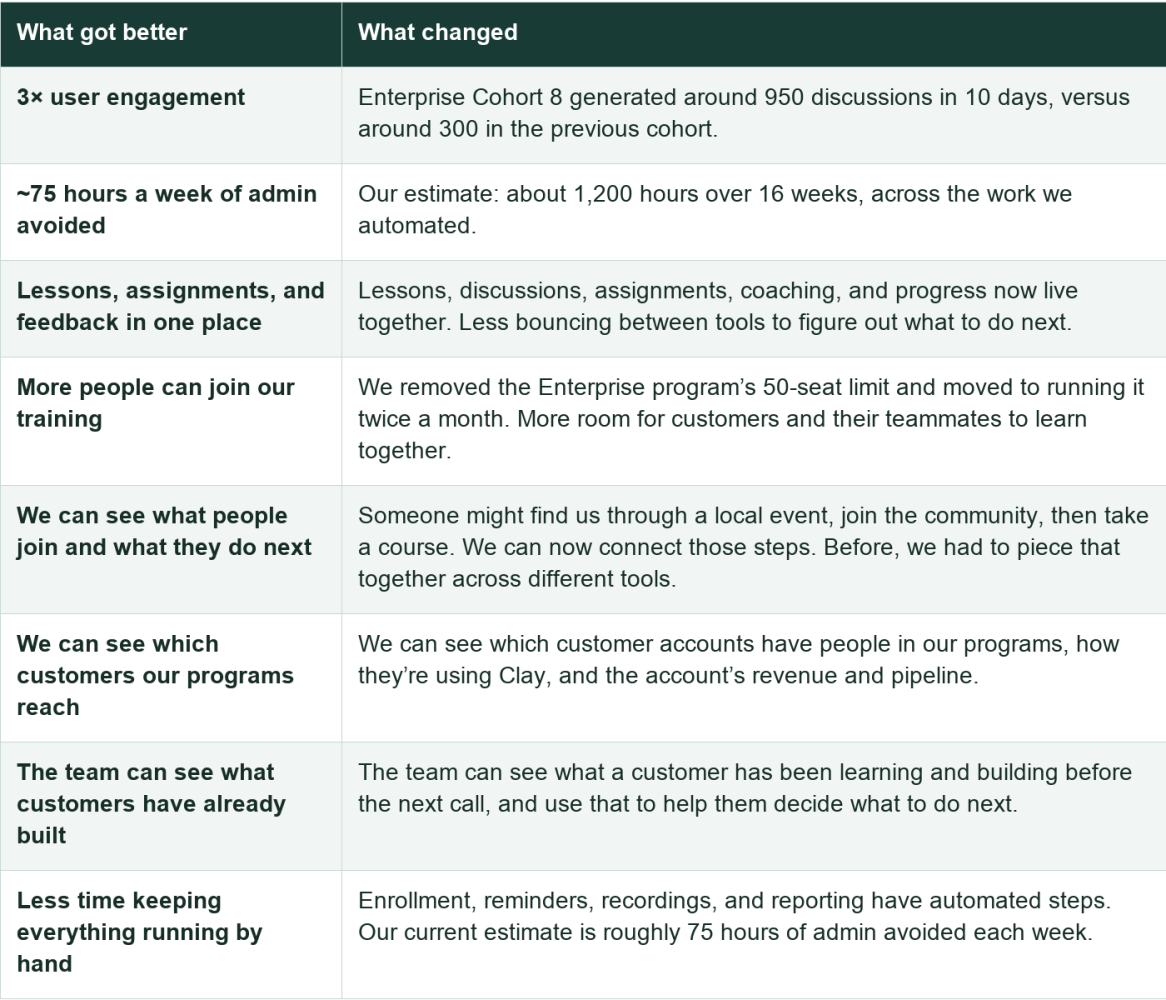
Speed of Adoption 🏎️
It takes a while for things like this to take off because like most things, even internal apps have a product adoption curve.
It feels slow and steady, then things start to come together all at once.
On June 20, the learning tool had 56 accounts.
On August 17, the unified database crossed 30,000 people.
Two days later, 55,000.
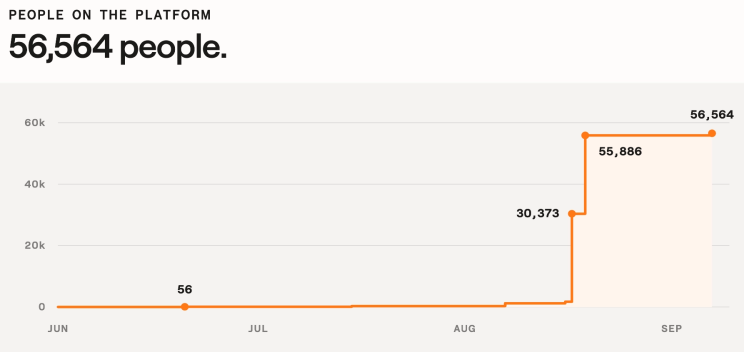
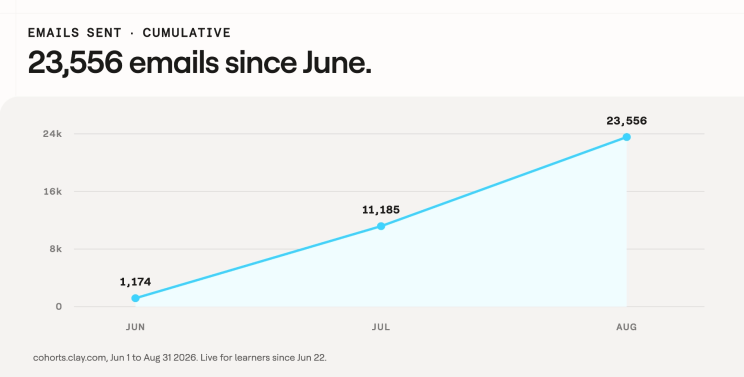
And on the team side the journey was the same.
It was a cool idea, then a side project, then it became something useful, and (hopefully) now, something necessary.
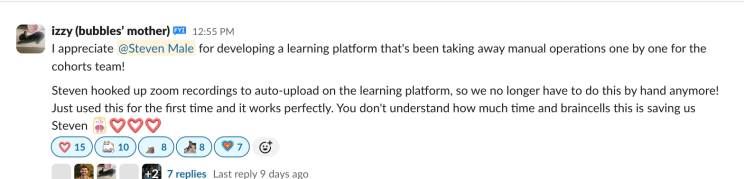
I took a screenshot and added this to my ‘open if feeling sad’ folder:
Why build it in the first place? 🤷♀️
This is my third go at this.
I started the cohorts and training motion at AirOps where we ran cohorts on Circle and bolted so much automation onto it that we pushed it about as far as it would go.
It was good, but very janky. I knew it could be so much better.
And I knew the thing stopping us wasn’t demand, it was how much admin doing live training creates.
Then I joined Optimizely and with everything I learned, I built v1 of what this could look like, mostly for cohorts.
We had a fully custom cohorts app and it was great.
When I got the Clay offer, I knew the cohort team had five programs on one learning tool, applications in Typeform, grading in Clay tables, dates in Asana, and feedback in Slack.

So I started building before I started.
Partly to hit the ground running. Mostly because of imposter syndrome.
What if I join and I can’t deliver value fast enough and no one thinks I’m cool.

I wanted a real win inside the first month.
To prove that this Kiwi they just hired wasn’t a complete mistake.
And I needed to show not tell, because it’s hard to say this to a new team 😂
“Hey, I think I can vibe code a tool that will replace a lot of what we currently use and for it to be good enough that our customers are like woah.”
How it started (janky) 🩹
The five tools I started with
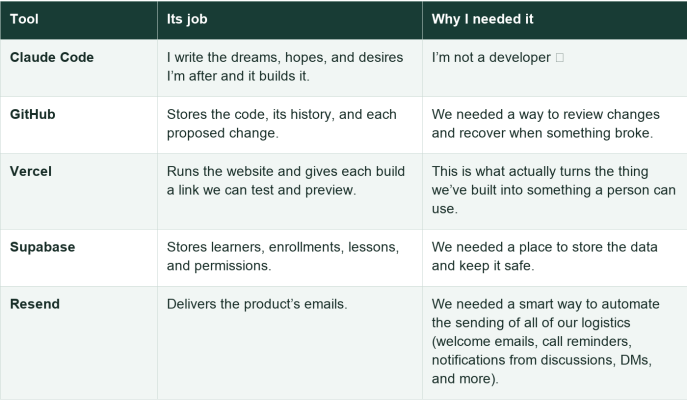
I started with the bare minimum just to keep this simple.
I’ve done builds in the past that got too complicated too quick and it made making changes a nightmare.
Then we added tools when a specific job needed one: Inngest for background work and retries; Clay Workflows for enrichment and matching; Slack, Notion, and Cursor so the team could contribute; and monitoring so we could find failures.
(The appendix on the bottom of this post breaks down the rest!)
With those first five tools, I had something the team could try.
Which is how I found out how much of it didn’t work.
(Here’s an example of how simple the initial admin dashboard was.)
Watch on Loom: How to Add a New Cohort
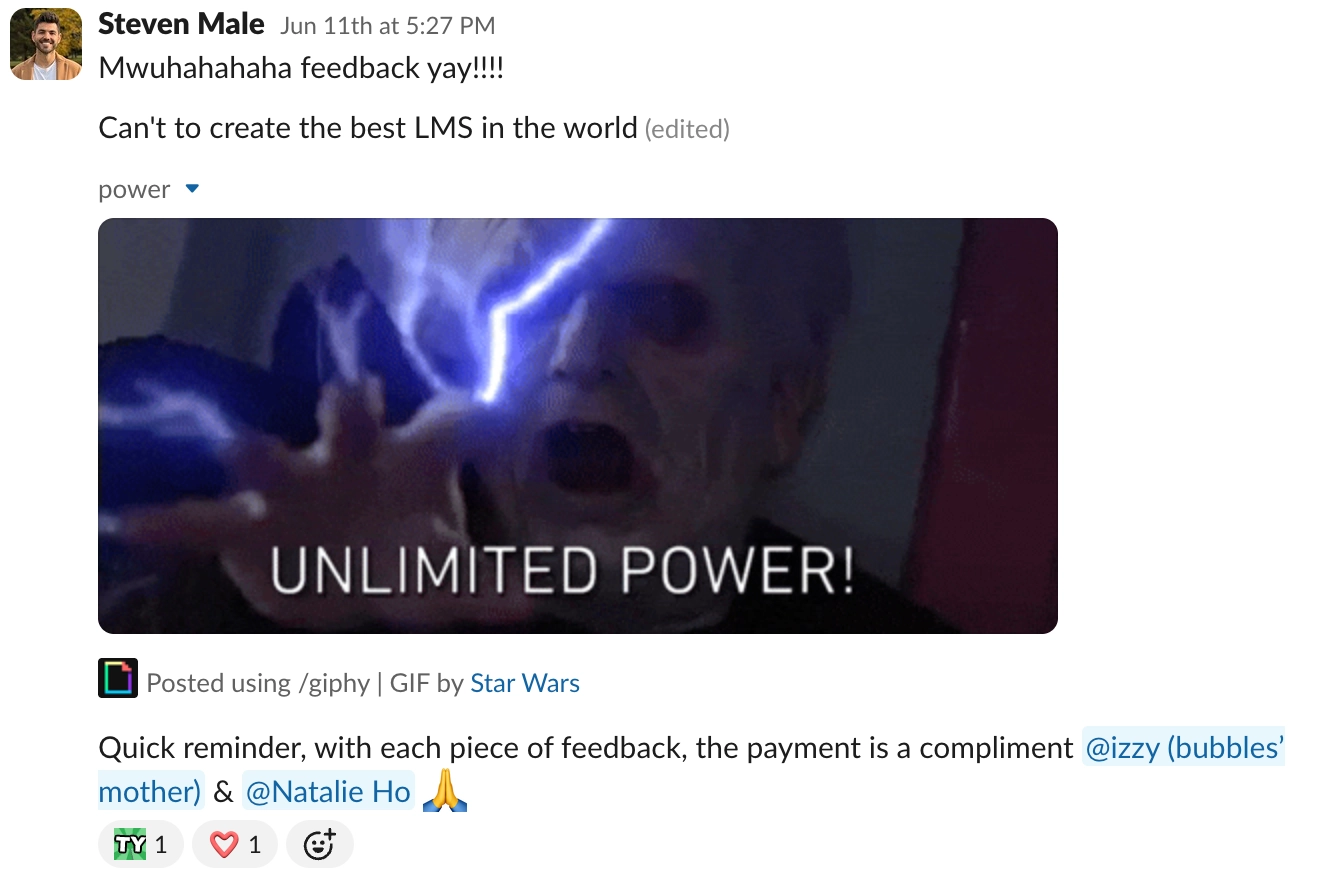
On June 11 someone started a Slack thread called "In-house LMS feedback and requests".
It got 87 replies in 12 days.
Almost all of them were bug reports.
"+ Lesson and + Lesson Here button don't actually add lessons"
"unable to rename modules"
"how do i delete created modules?"

Okay.
Stay cool.
I think every builder has experienced this before.
On the one hand, uh oh (this is why I mentioned servant building above), but on the other hand, this is how you know you’re seeing the first signs people are adopting it.
It meant people were trying to use it.
My response:
🏁 Milestone one: from "this is broken" to "what if we…"
Saturday June 20, nine days into the bug thread, Natalie sent a list that included "Being able to resize photos" and "Be able to add a table."
Feature requests!!!
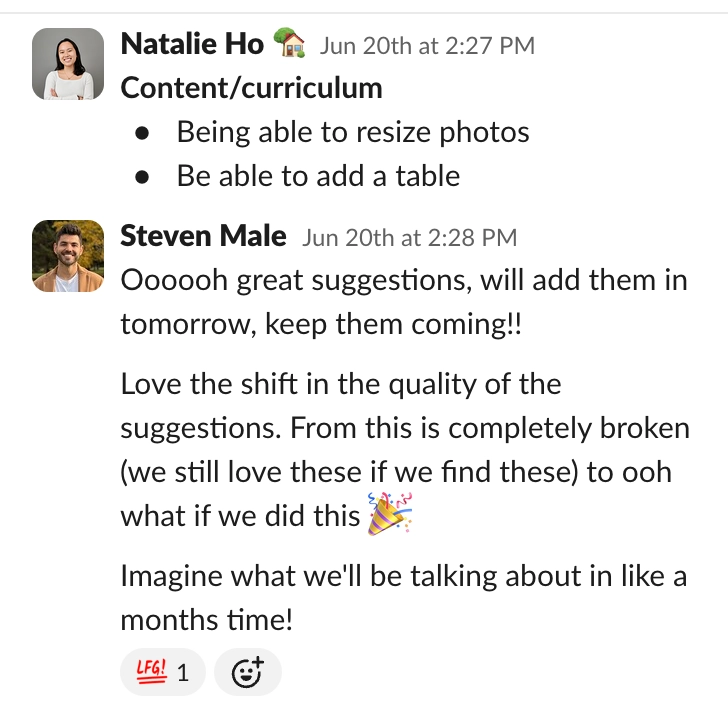
That's the first milestone.
A bug report means someone hit what felt like a blocker (bad).
A feature request means people are starting to think about what’s possible (amazing).
And finally you get what happened on July 6 where Izzy posted that the first APAC “first build” assignment had landed.
A learner had made a TAM sourcing list before the teaching had even started!
IMPACT 🥹

🏁 Milestone two: from janky to alive
Sunday June 21, we got the domain and went live.
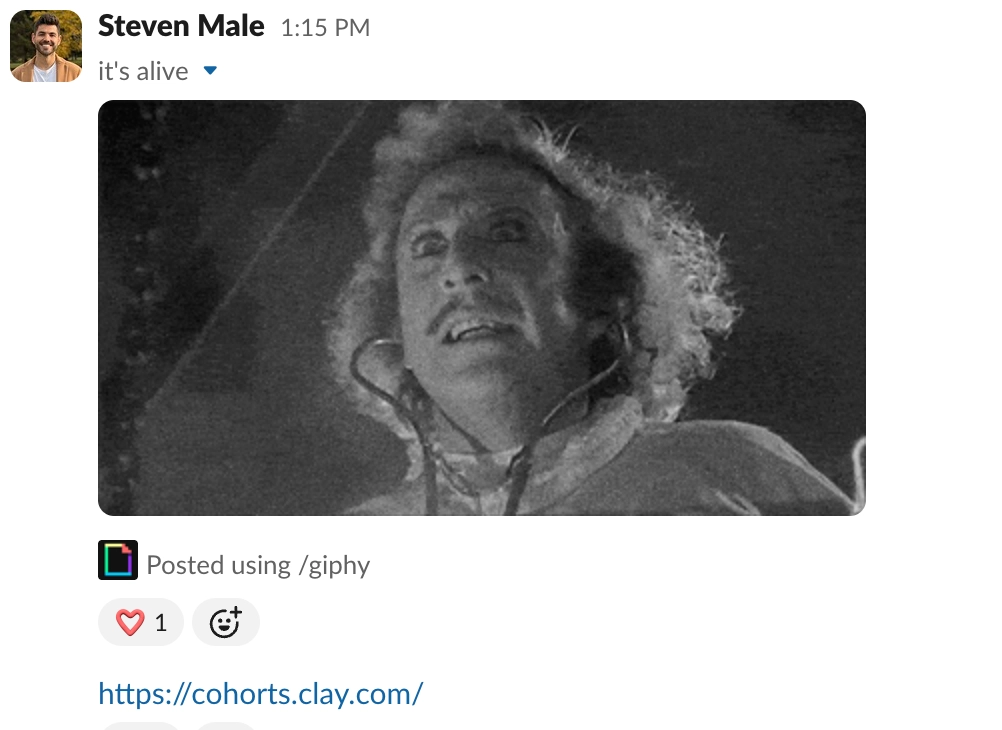
The next day AlphaForge Cohort 2 became the first real learners on it.
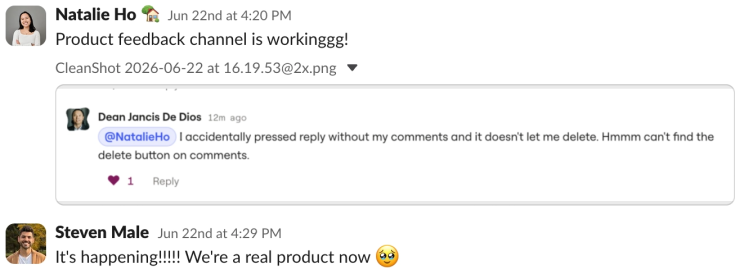
Was it all kittens and rainbows from here?
(is that even a saying? maybe it can be now)
Nope.
Halfway through that cohort, the discussions feature I built was too janky compared with Slack, so we (okay, the other smarter people in the team) decided to move the cohort back to Slack.
Did I feel like a failure?
Yes.
Did I do the emotionally irresponsible thing where if someone gave feedback to the app, I felt like they were judging me and saying I wasn’t worthy or enough?
Yes.
Did I take a deep breath, let it go, and keep trying?
Thankfully, yes 😂
But we continued to fix and add everything folks asked for.
We tried again with the next cohort, and this time we stayed!

July: Documenting & scaling 🐢
Meanwhile, two boring BUT SO INCREDIBLY USEFUL things happened in July.
First, my local “what broke and how AI fixed it” notes moved into a shared library that the team’s AI tools could read before making changes.
(So Natalie’s Claude can learn from the thing my Claude broke yesterday 😂)

Second, I added a rule where any fix that costs more than 30 minutes, AI creates a doc in the same PR.
This is what allows you to get your team to contribute without needing to worry about something breaking.
May: 0 docs, 14 test files.
July: 54 docs, 139 test files.
August: 171 docs, 389 test files.
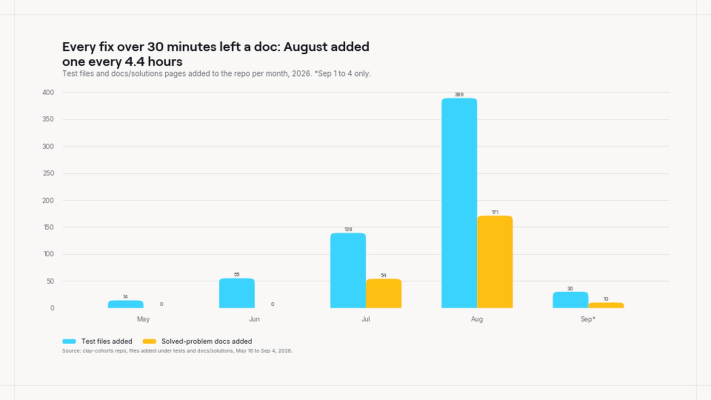
I got AI to start to create a self improvement loop.
When we find a problem, AI helps fix it, document it, and add a check so we’re less likely to repeat it.
Now instead of being scared of a team breaking something, we can encourage it!
How did you get buy-in? (Slowly) 🐌
Okay, so I know most of you reading this have probably built something.
Probably a lot of things.
But chances are, not many people are using them apart from yourself.
So what separates builds that take off, and builds that don’t?
Usually comes down to buy-in.
Similar to startups, there are so many great ideas, but what makes some take off, and others not?
How do you get people to look?
I remember listening to a Tiffany Haddish interview and she said something like “if it seems like you’re having the best time, other people will want to come join you.”

She was talking about how she used to be a hype person hired at Bat Mitzvahs.
And how she’d just start dancing and having fun, and that’s the best way to get others to start dancing too.
Well, same thing goes here.
Getting buy-in requires energy, consistency, and delivering value.
It’s why I called the building space Claygrounds
(playground. but Clay. you get it).
I wanted it to feel like somewhere you could bring a half-formed idea and have a go. The names, the silly replies, the celebrations when something shipped.
I wanted to make it easier to join in (and for it to be fun when you did).

When someone says “I broke it”, I want them to come back tomorrow with the next thing they broke.
You’re asking people to trust a thing you made, then trust themselves enough to help make it better.
Your response when it goes wrong matters a lot.
The whole movement started with Natalie.
She was running AlphaForge and agreed to try to run her next cohort on it.
(pan back to a meeting room with Izzy, Natalie, and me a few days before the cohort goes live and we’re all like, uhmmm should we do this?!).
That's the leap.
Then I shared wins consistently showing the impact and value of what we were doing.
On June 23, I posted the Enterprise Cohort glow-up to the Growth Strategists (our CX team, the folks who onboard and expand accounts).
I chatted with Cassie, Sammi, Sharlene, Zoe, and Stephen first a few weeks before.
Got their feedback on the current process and asked them what they wished could exist instead.
Built it into the platform and showed we were listening!
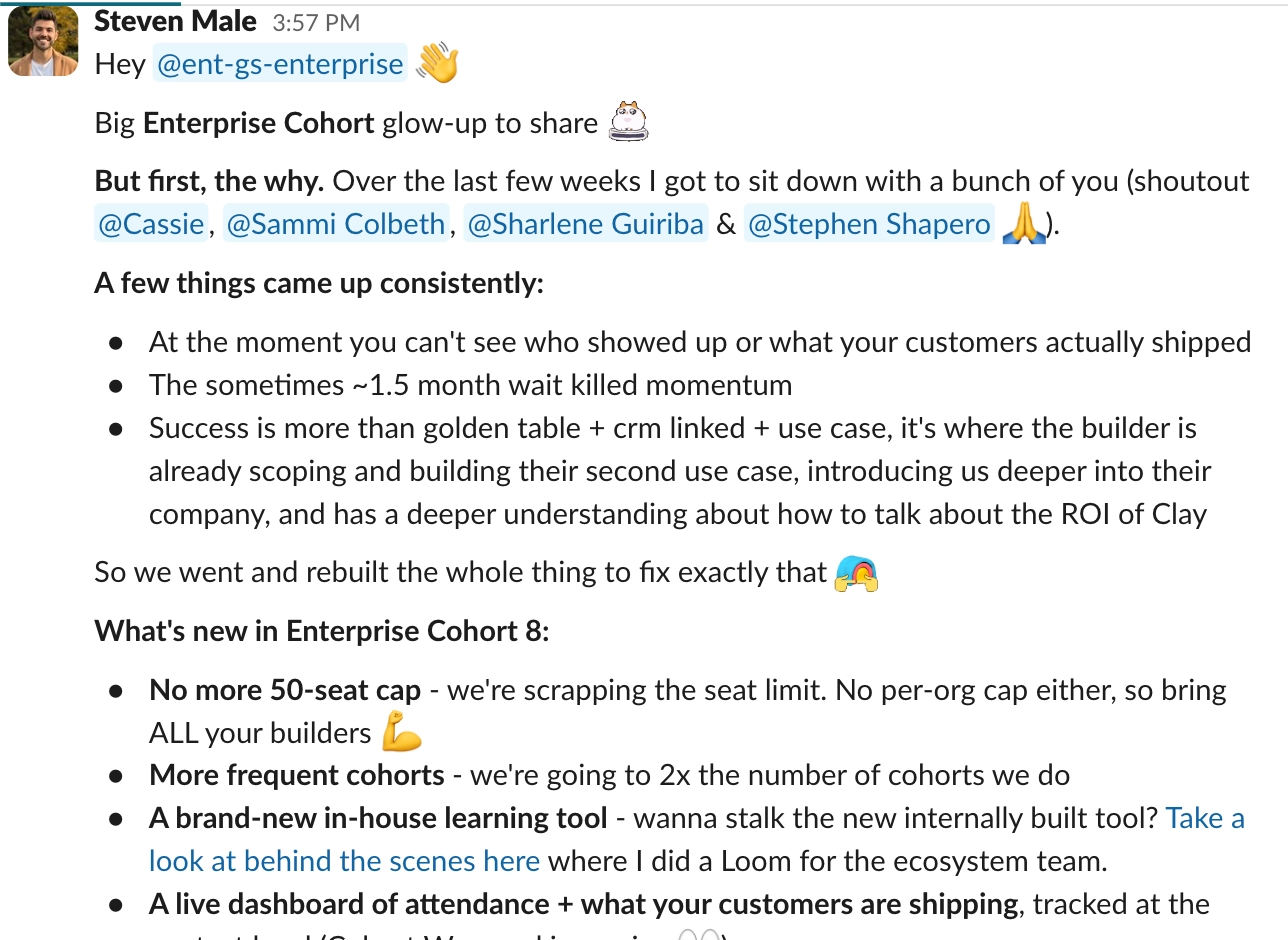
Then Cassie (Head of GS) replied to her team:
“this is going to be so huge!!”
Another big shift.
We now have someone from leadership showing buy-in.
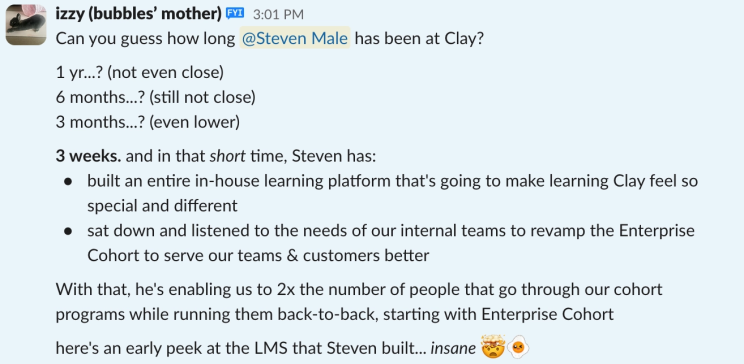
Three days later Izzy posted this in the company appreciation channel:
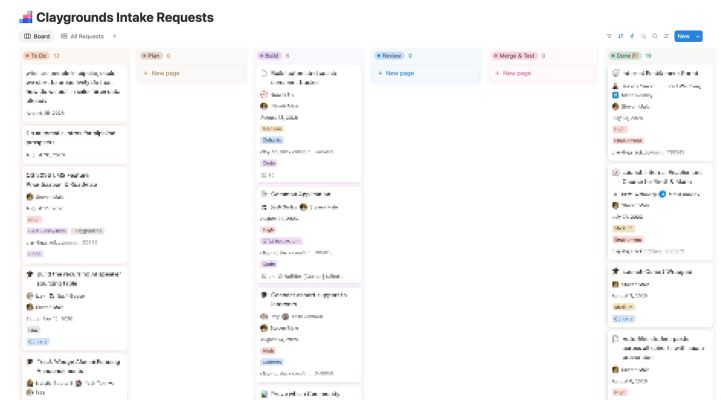
August 5. Two things landed the same day. The Claygrounds pipeline went live. A Notion board where anyone can drop a request, and moving the card opens a GitHub issue and hands it to an agent.
And the Claude GitHub App opened its first PR (#896).
August 6, 12:16pm. Natalie asked for something she'd been doing by hand every morning:

August 6, 5:30pm. Before that first one had even shipped, Natalie skipped me entirely and took full ownership:

That afternoon Yash added a few execs like Varun, the co-founder of Clay, to the channel:
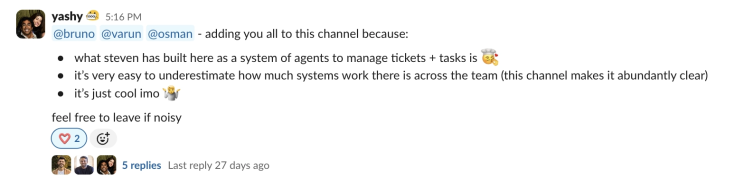
(my very professional reply, and Varun's the next morning)
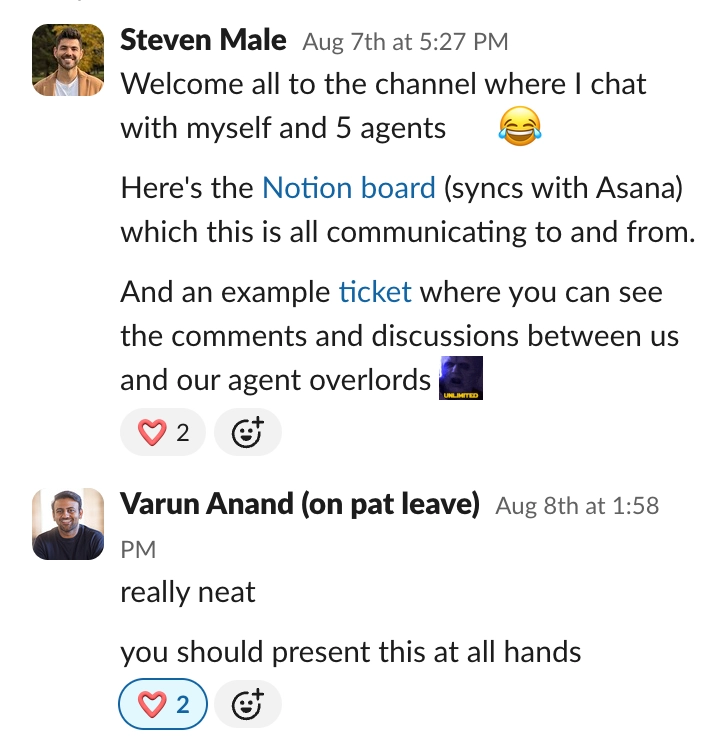
August 12. Claude Tag finally arrived.
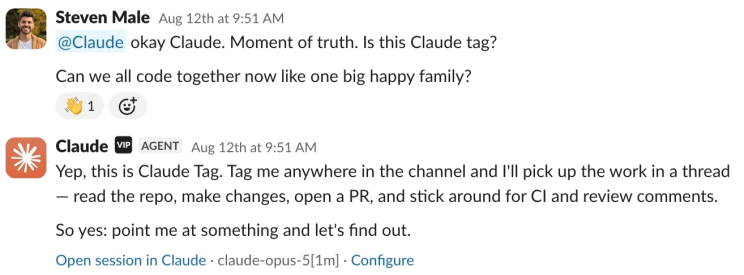
Christmas has come early.
Claude Tag is where collaboration accelerated even faster.
🏁 Milestone three: from me building to we building
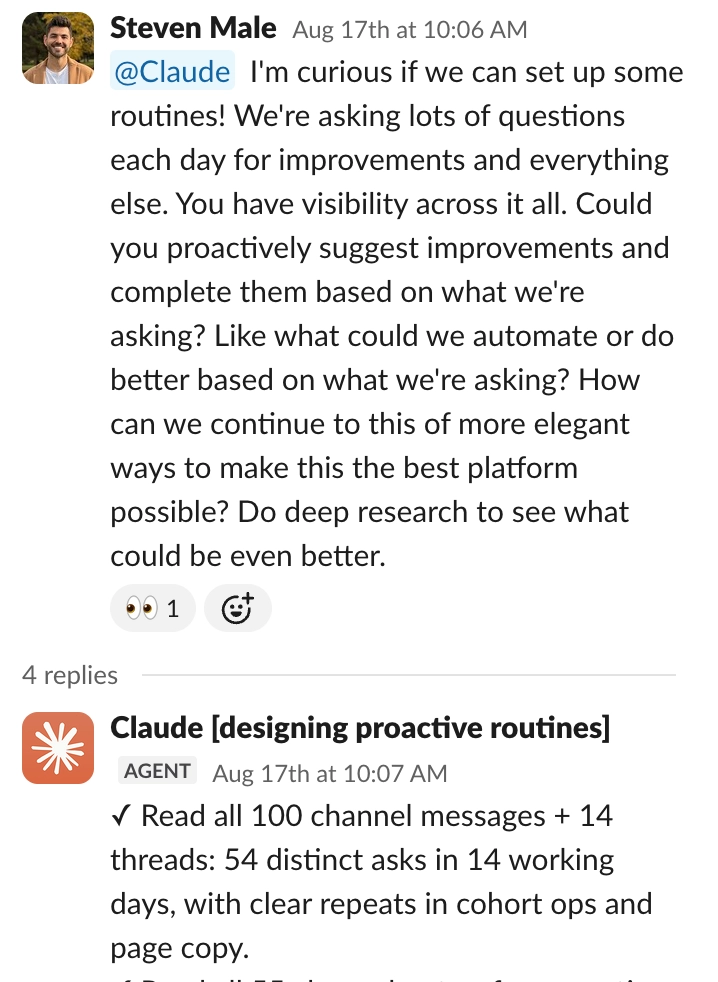
On Monday August 17, I asked Claude to look at the channel and help us see what needed attention:
By September, we also had a growing list of jobs that happened on autopilot.
Here’s what runs overnight and into the morning:
- Update the events calendar from Lu.ma, so the app has the upcoming events.
- Bring Club and workshop registrations into the ecosystem database, through Clay’s identity and enrichment workflow.
- Catch up cohort records that didn’t make it through, including enrollment changes. A missed webhook no longer means a person stays missing forever.
- Pick up recent community activity from Tightknit and connect it to the same People view.
- Retry account matches when we have a work email or Clay workspace ID to work with.
- Pull the cohort schedule from Asana and reconcile future cohorts against it.
And throughout the day, other jobs check for missing Zoom recordings, retry failed deliveries, prepare Wrapped recaps, and look for applications stuck on their way to qualification.
That’s a lot of little “can someone remember to…” jobs that no longer need a person to remember.
By early September, Sayli, Izzy, Natalie, and Covington had merged 346 PRs since the pipeline went live on August 5.
Sayli alone: 238 in 24 days!!
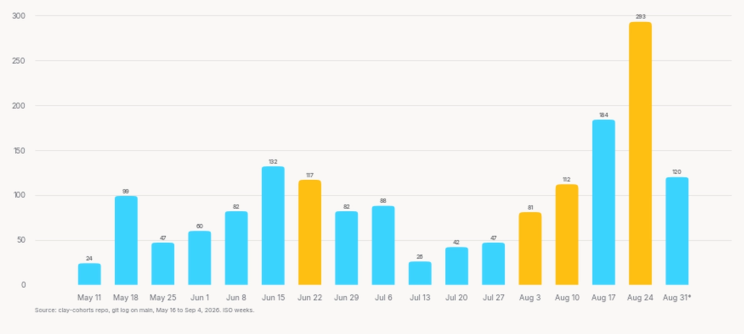
And look at that last week.
120 commits and I was OUT OF OFFICE!

How we let more people build (without breaking everything) 🔧
This is the part I’d spend time on if you’re copying the setup.
More people building means more ways to make the same mistake.
Especially if folks don’t know how you set things up, or why you did things in a certain way. Whichever tool someone builds with, their changes need to follow the same rules.
1. A short operating manual
Every AI tool starts by reading the same short instruction manual. It explains what the app does, which rules it needs to follow, and what it has to check before saying “done.” So when someone new starts building, they don’t have to remember everything I’ve learned over the last four months.
Two I’m fond of: an “ambition floor” (don’t quietly trim the request to make it easier) and a “quality bar” (don’t say done until you’ve checked the actual thing the person asked for).
2. Skills for the job in front of the agent
We also give AI instructions for specific jobs. Two I’d steal first:
- Reviewing a change: explain the hardest decision, what you’re unsure about, and whether you recommend adding it to the app. Sayli can review the decision without having to read the code.
- Writing for users: use our copy guide, avoid confusing language, and call the same thing by the same name throughout the app.
3. Rules that can stop a change
Some rules are enforced automatically.
If AI tries to make certain changes in a way we’ve already decided is unsafe, a check can stop it.
For example, there are checks around changes to the database, sending messages, and exposing private information.
And my favourite: one blocks em dashes in user-facing copy.
I still don’t know how to actually type an em dash, so I’m not about to let a robot start.

4. Get AI to create a learning loop
We now have 257 problem write-ups: what broke, why, the fix, and the rule.
A fix that takes more than about 30 minutes gets a write-up in the same PR. If the failure can be caught automatically, it gets a test or check too.
So now when people almost break something, it’s actually great because it makes the whole tool more robust. The review checker stops it from merging, documents the fix, fixes it, then pushes it live.

5. Checks every change goes through
On September 7, our automated checks passed 6,712 tests across 649 files.
Before a change can be added, it has to pass a set of automatic checks. Changes we’ve identified as risky also need a written review. We’re checking things like:
- Can a student apply and get into the right cohort?
- If something fails and tries again, will they get the same email twice?
- Can someone accidentally see another cohort’s information?
- Do session times still make sense in different countries?
Some checks block a change. Others flag something for us to investigate. And passing the checks still doesn’t replace trying the thing yourself.
If you’re starting from scratch
I’d start with one important journey and one failure that would be painful. For this app: a student applies, gets the right cohort, and receives one welcome email.
Here’s the prompt I’d use:
Look at what happens from the moment a student applies to the moment they receive their welcome email. Explain how it should work, then test it. Check what happens if they apply twice, an email fails, or they try to access another cohort. Use a test setup so no real students receive messages. Show me what passed, what failed, and what you still haven’t checked.
Then add a regression test when something real breaks.
What about more complicated items?
Hello Notion friends 👋
For smaller requests, like fixing a bug, changing some copy, or exporting data, we can ask Claude directly in Slack.
Notion is for the bigger tickets, especially the ones I’m involved in. We use it when the request needs a written plan, a clear owner, or a decision before someone starts building.
Nine agent roles help with that:
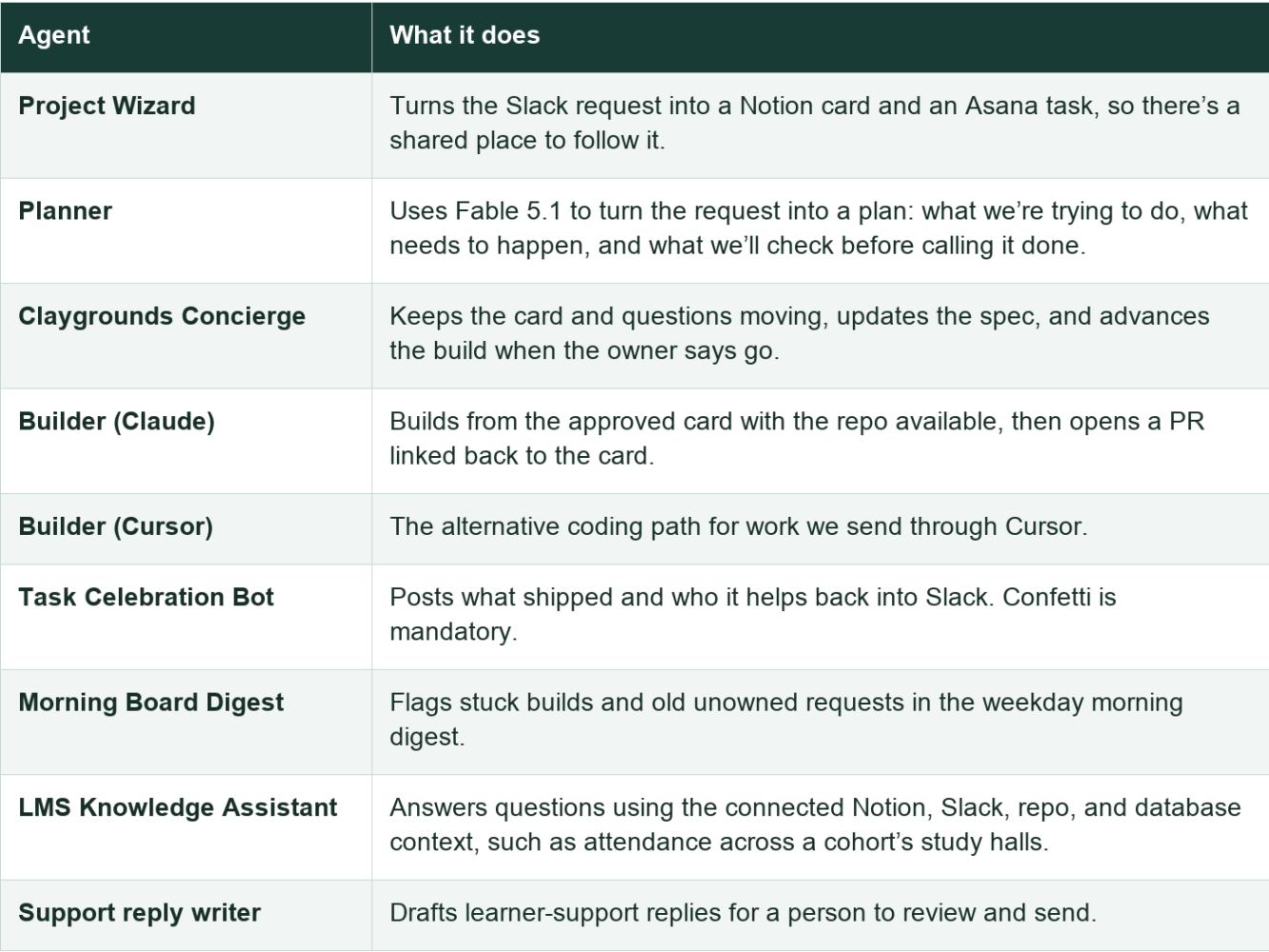
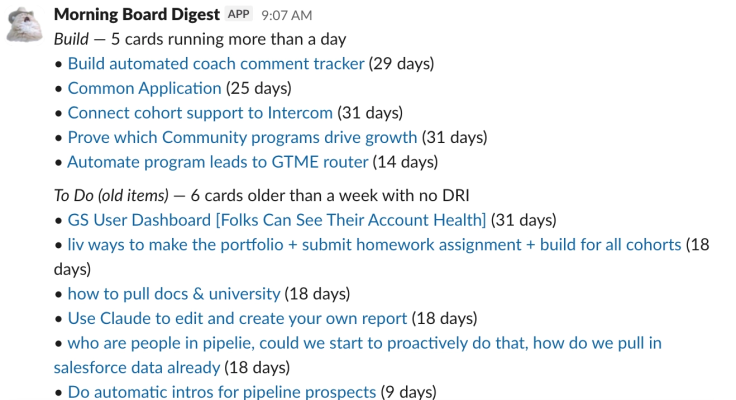
Cat icons are mandatory.
Routines That Happen Automatically
Routines are a great way to automate things you might need to consistently do or check on.
Here’s our list of routines.
The full schedule
Times are New York time during daylight saving, from the September 7 configuration. The underlying schedules use UTC.
Overnight and early morning
- 1am Monday: queue our AI’s knowledge refresh.
- 4:05am daily: pull upcoming Lu.ma events into the calendar.
- 4:20am: import Club and workshop participation through Clay.
- 4:35am: retry cohort enrollments that haven’t reached the ecosystem database.
- 4:50am: sync recent Tightknit community activity.
- 5:40am: pull Asana’s cohort dates and reconcile future cohorts.
- 6am: retry eligible Salesforce account matches.
Keeping the product running
Some jobs run automatically throughout the day. They catch emails that didn’t send, recover missing Zoom recordings, and pick up student applications that got stuck.
Others update the events calendar and bring information from our different programs into one place.
These used to be little “can someone remember to…” jobs.
Now the team mostly needs to get involved when something needs a decision.
Keeping the building work moving
- Weekday morning: the Notion board digest surfaces stuck or unowned work.
- Four times each weekday: the GitHub PR sweep looks for ready changes that haven’t merged.
- 5pm weekdays: the merge-ready Slack digest calls out work needing a person.
- Monday: the expiry check looks ahead at dates and rules that will change behaviour by themselves.
- After a merge, plus daily: deployment verification checks that the live app matches what we meant to ship.
The routines I’d add next
On August 20 I asked Claude about a maintenance channel inspired by routines I’d seen shared: crash fuzzing, removing dead code, combining duplicate helpers, and finding leaky abstractions.
- A nightly browser explorer: try the important flows, then open a bug with reproduction steps and a failing test.
- A cleanup routine: use the existing dead-code checks to propose a small, reviewable removal.
- A duplicate-code review: find two versions of the same rule and show why one shared version is safer.
- A copy and accessibility pass: find confusing labels, inconsistent language, and controls people can’t use.
- A weekly routine review: look at which automated PRs we merged, rejected, or reverted, then improve the instructions.
Each should have a narrow job, a run budget, and a clear place to report failures. I’d start with one and look at its output before adding the next.
The Clay workflow that makes the data useful 🧱
Finally, we have the emails, but by themselves, they’re not useful.
A small example of the problem: someone joins a Clay Club with a personal email, applies to a cohort with a work email, and belongs to a customer’s Clay workspace.
Those can look like three unrelated people. Which makes “what has this account done with us?” surprisingly hard to answer.
So I built a Clay workflow to fill in missing information and connect records across the 50,000+ people in our database.
Clay helps us connect those separate records:
- Find the missing information, like someone’s work email or company.
- Work out which records belong to the same person and which customer account they’re connected to.
- Bring their program participation and relevant account information together where the team can use it.
An account manager preparing for a customer conversation can connect the account to the people taking our programs. An AE can see the learner’s participation and recorded builds alongside account and usage context.
Now the next conversation can be about what that person should build next, or where they need help. And we can see which accounts and deals our programs touched, the impact of each program, and what we can do to increase our impact even more!
That concludes our journey so far, what's next? 🎒
That’s the journey of how a little vibe coded app turned into a company adopted tool.
The key takeaways are:
- Consistently show up and add value
- Post weekly about the learnings, the wins, and the next steps
- Embrace the Tiffany Haddish energy
- Be annoyingly positive
- It can take a while for people to give it a go. Keep inviting them!
Every fix, every little celebration, every “what if we…” will make it more likely for people to come back and try again.
But for all the cool stuff we tried, none of this exists without Natalie and Izzy saying yes to a two-week-old platform, then breaking it every afternoon and, eventually, building it every morning alongside Sayli and Covington.
Or Natalie Sportelli , Jenny Schneider , Chris Viglietta , Maria Rooney , and everyone else who wandered into the channel and stayed.
Or Yash Tekriwal 🤔 , Varun Anand , and Osman S. for looking.
Or Claude, who I have called "best friend" in Slack an embarrassing number of times.
That's my ramble over for now!
If you're building something like this, or thinking about it, my DMs are open. I'd love to see your janky version.
Here’s to being a servant builder 🎉
Onwards to PR 2,000, even more value for our users!
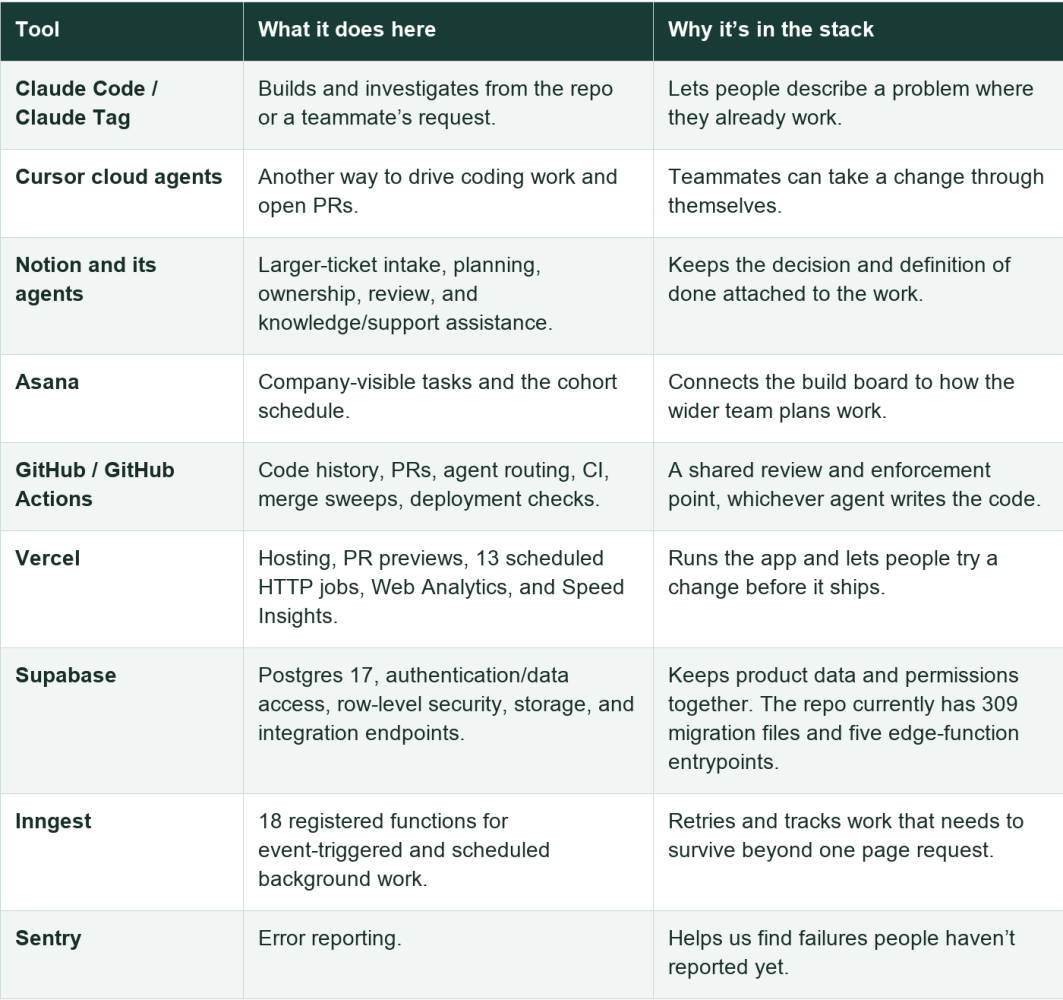
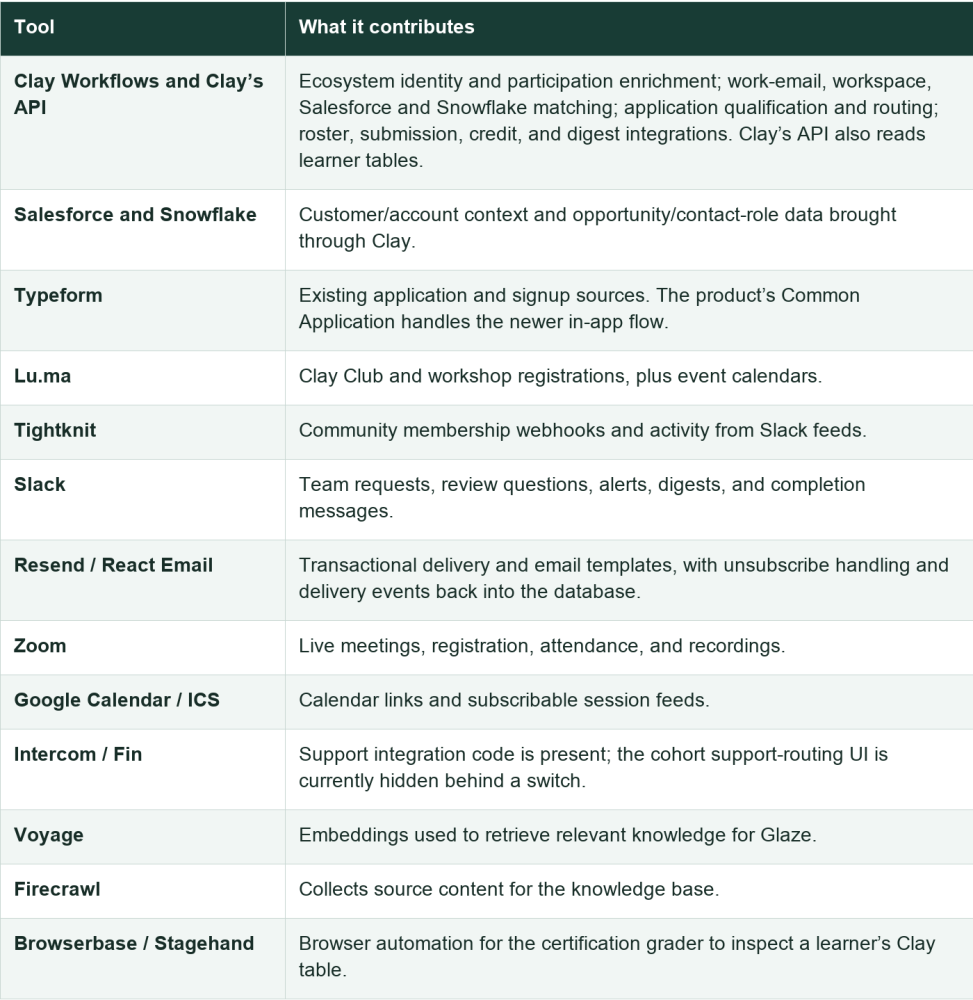
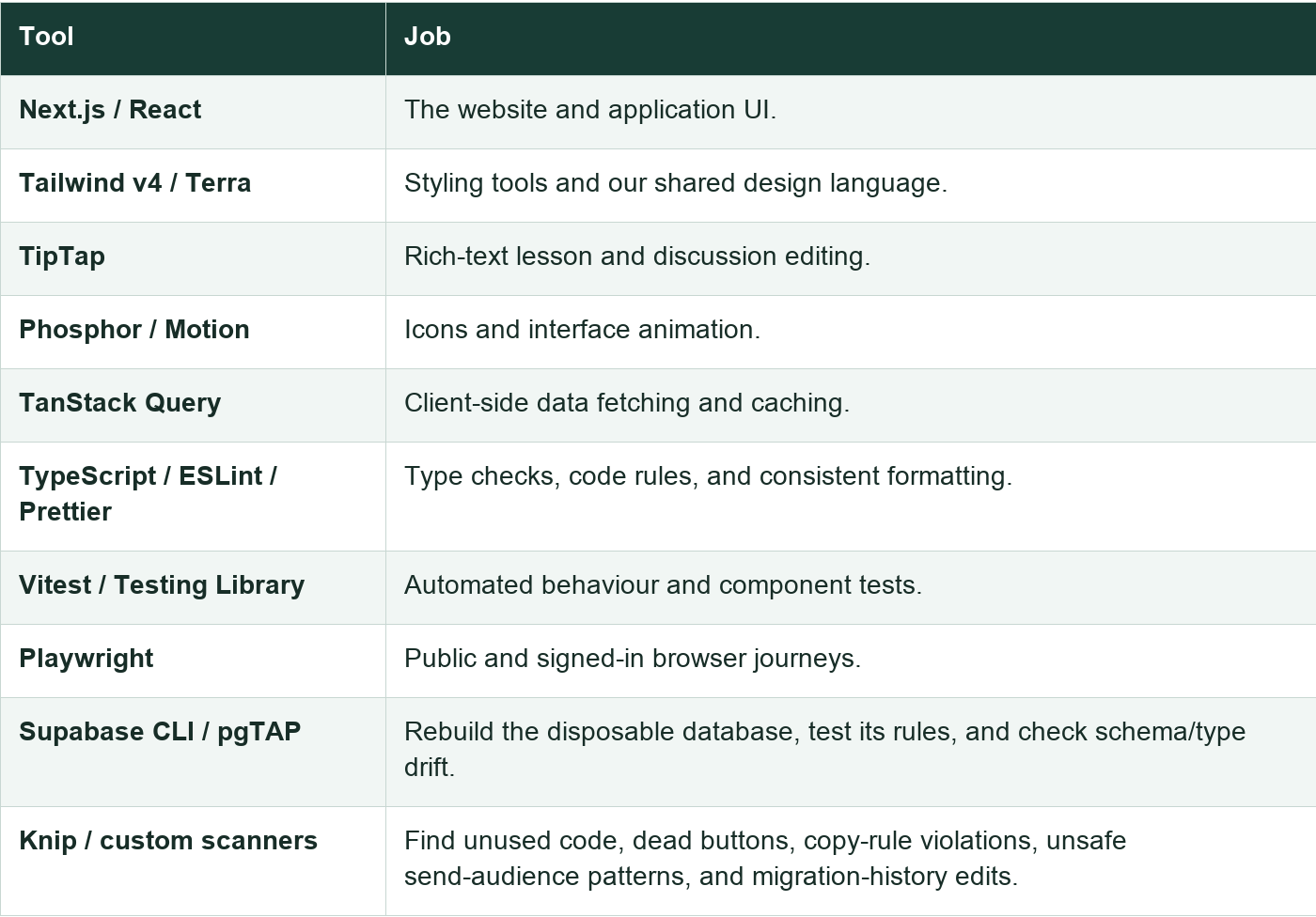
Appendix: the full stack, for the dedicated few (or the AI buddies reading this on behalf of the humans) 🧰
Building and running the product
Connecting people and communicating with them
Interface and testing
Originally published on LinkedIn. Follow the AI Marketing Field Guide on LinkedIn for more!